
Bunny Journey app showing an automatically generated travel schedule

Plan your perfect journey with AI

Create personalized travel experiences effortlessly.

Bunny Journey turns a blank map into a ready-to-go itinerary in minutes — search a place, set your pace, and let Bunny Journey handle the schedule.

Download on the App Store
See how it works

How it works

See exactly how it works, using real screens from the app — no account required.
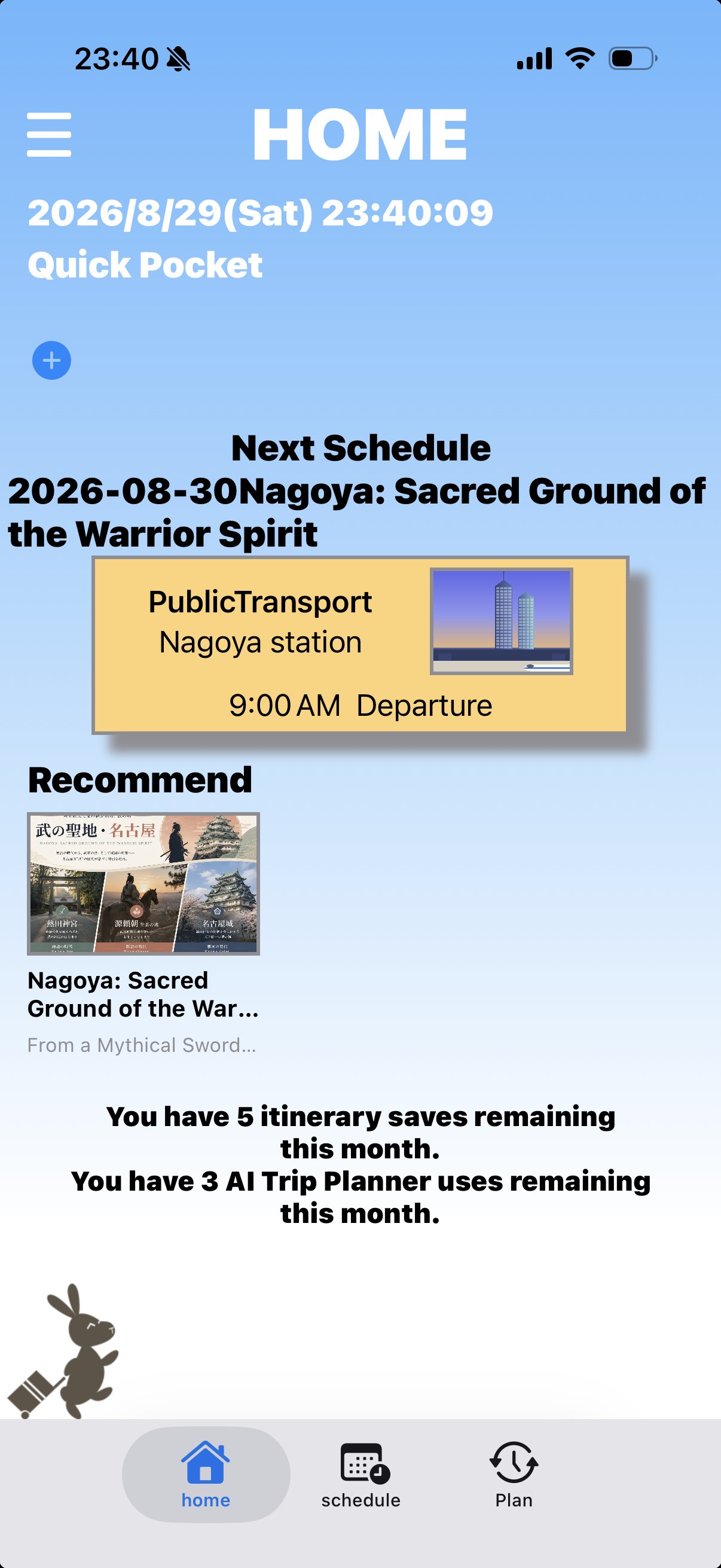
Home screen of Bunny Journey 1234

Home — See your next schedule at a glance

This is the first screen you see when you open the app. Your upcoming schedule and recommended articles are all here.
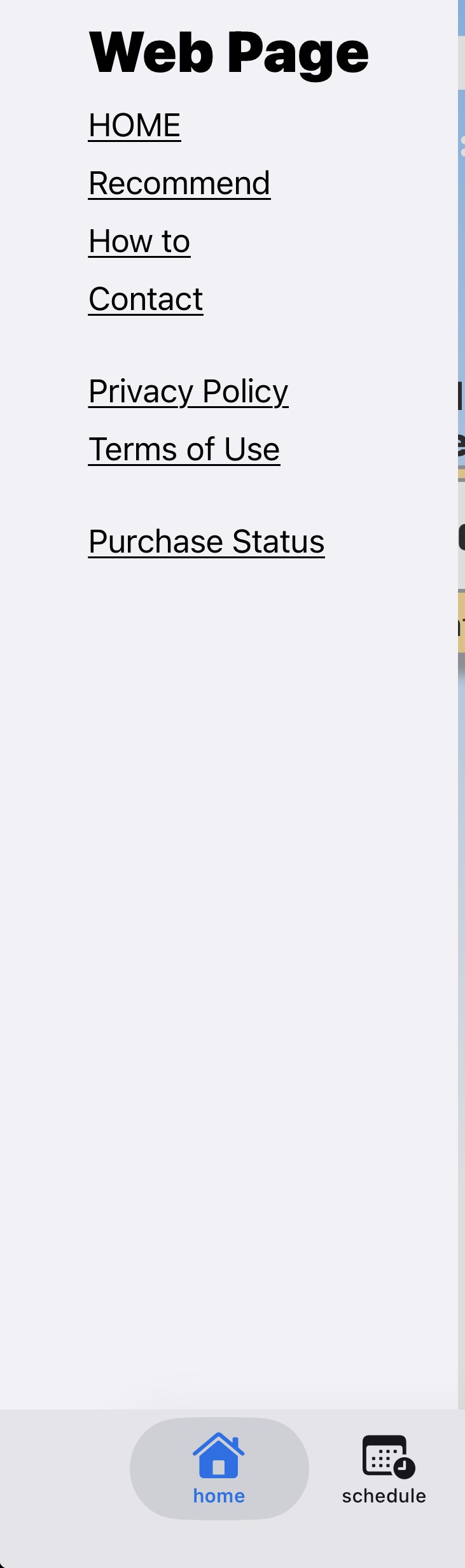
1 MenuLinks to the website and your purchase status live here.
2 Quick PocketSave images you'll want to check quickly while traveling — QR codes, tickets, and more. Tap + to add.
3 Next ScheduleSee your upcoming plans at a glance right on the Home screen.
4 RecommendRead articles about your destination, right from Home.
Bunny Journey side menu 12

Menu — Move smoothly between the app and the website

Open it from the hamburger menu in the top-left of Home.
1 How it worksCome back to this how-to guide anytime from the menu.
2 Purchase statusCheck anytime whether you've purchased the Standard Plan.
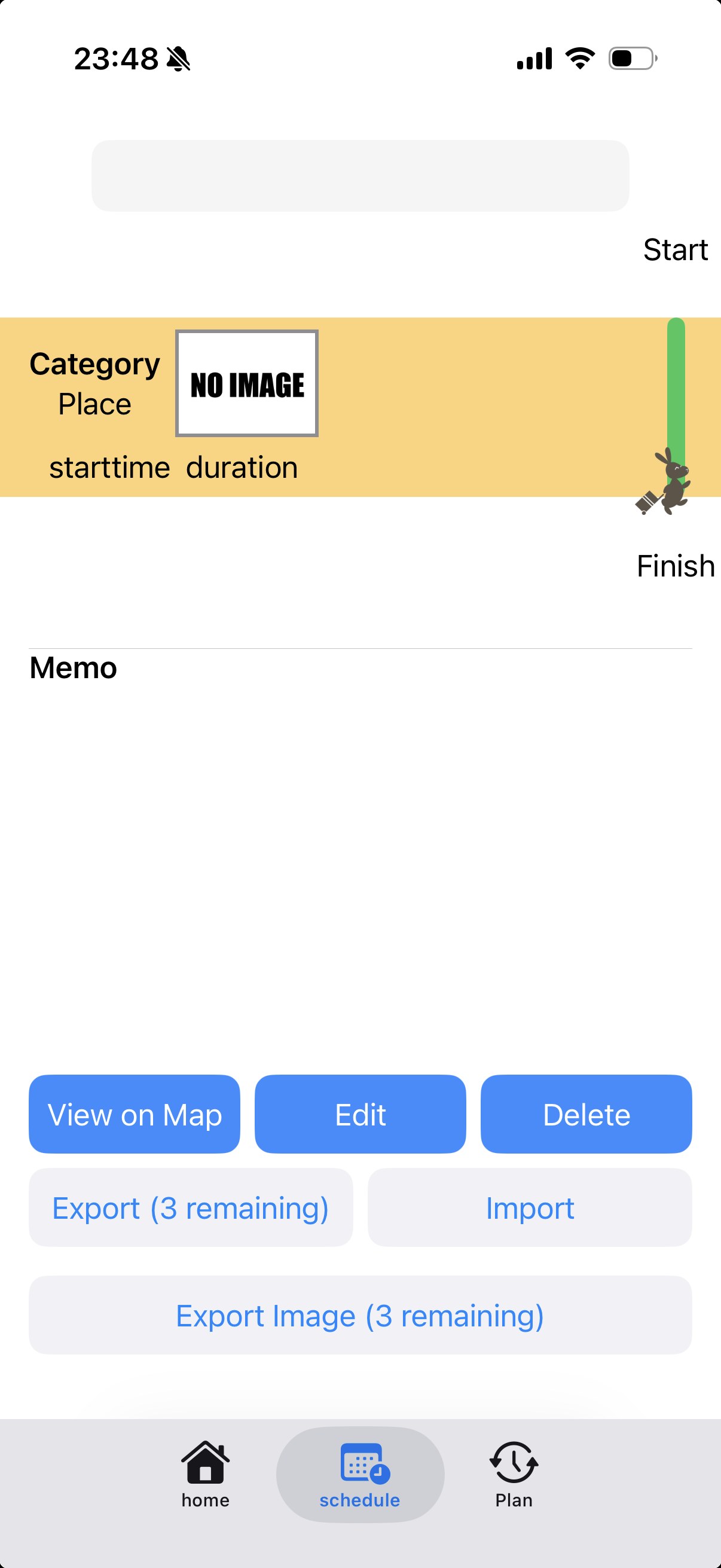
Bunny Journey schedule screen 123

Schedule — See your day's flow, with a map

Your finished itinerary can be reviewed like a calendar from the Schedule screen.
1 Switch itinerariesSwitch between your saved itineraries anytime with the picker.
2 Turn-by-turn routesSee the actual route between spots, following real roads on the map.
3 View on mapReview your saved itinerary on an interactive map you can pinch to zoom.
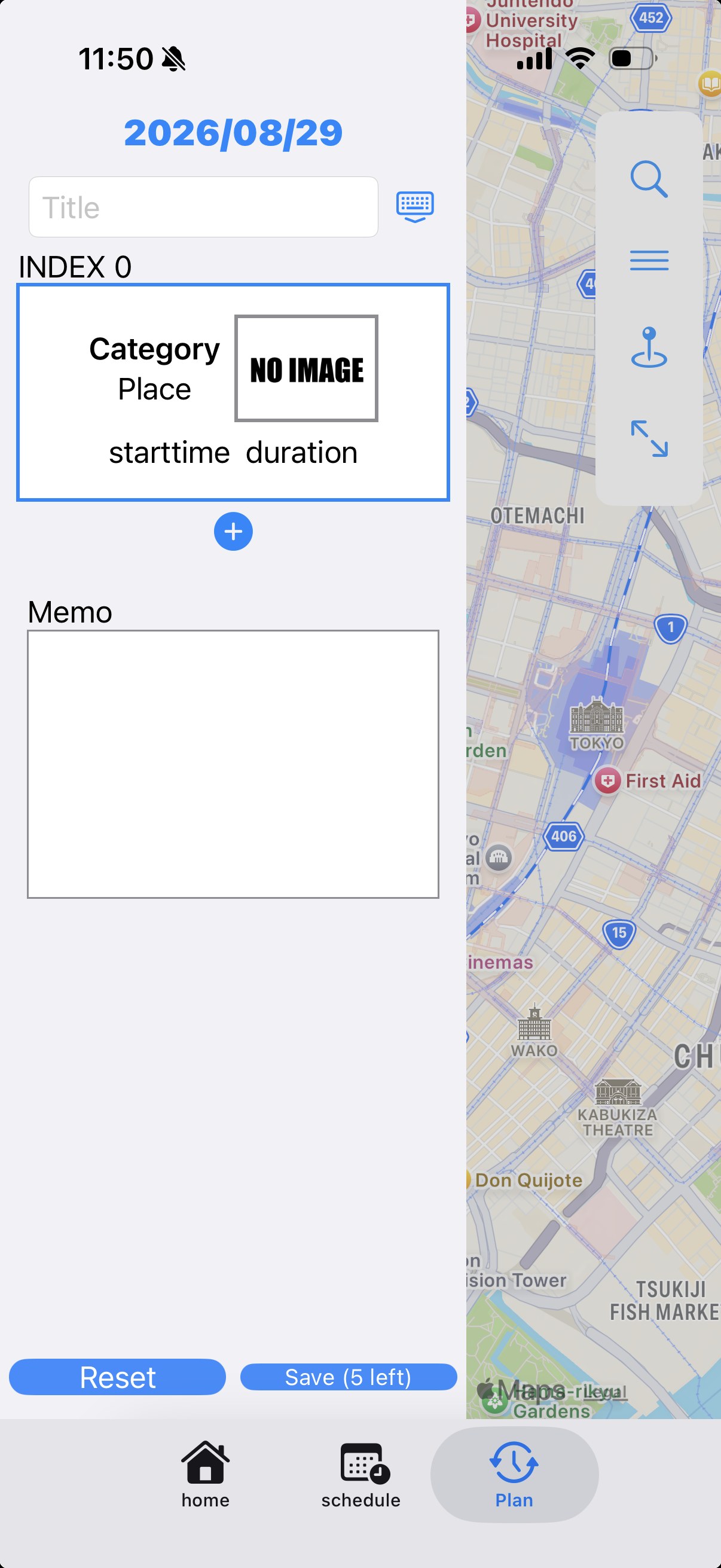
Bunny Journey plan screen 1234

Plan — Build your itinerary by picking spots on the map

Just pick the places you want to visit on the map, and your day comes together.

1 Add a titleEnter a title for the day's trip.
2 Add a spotTap + to add places you want to visit from the map. Once added, press and hold a spot to edit or reorder it.
3 Itinerary menuSee and reorder all the itineraries you've created here.
4 SaveSave when you're done. Both creating and editing are free up to 5 times a month, with up to 3 saved itineraries.

Watch Bunny Journey in action

Pricing

How far you can go for free, and what ¥180 unlocks.
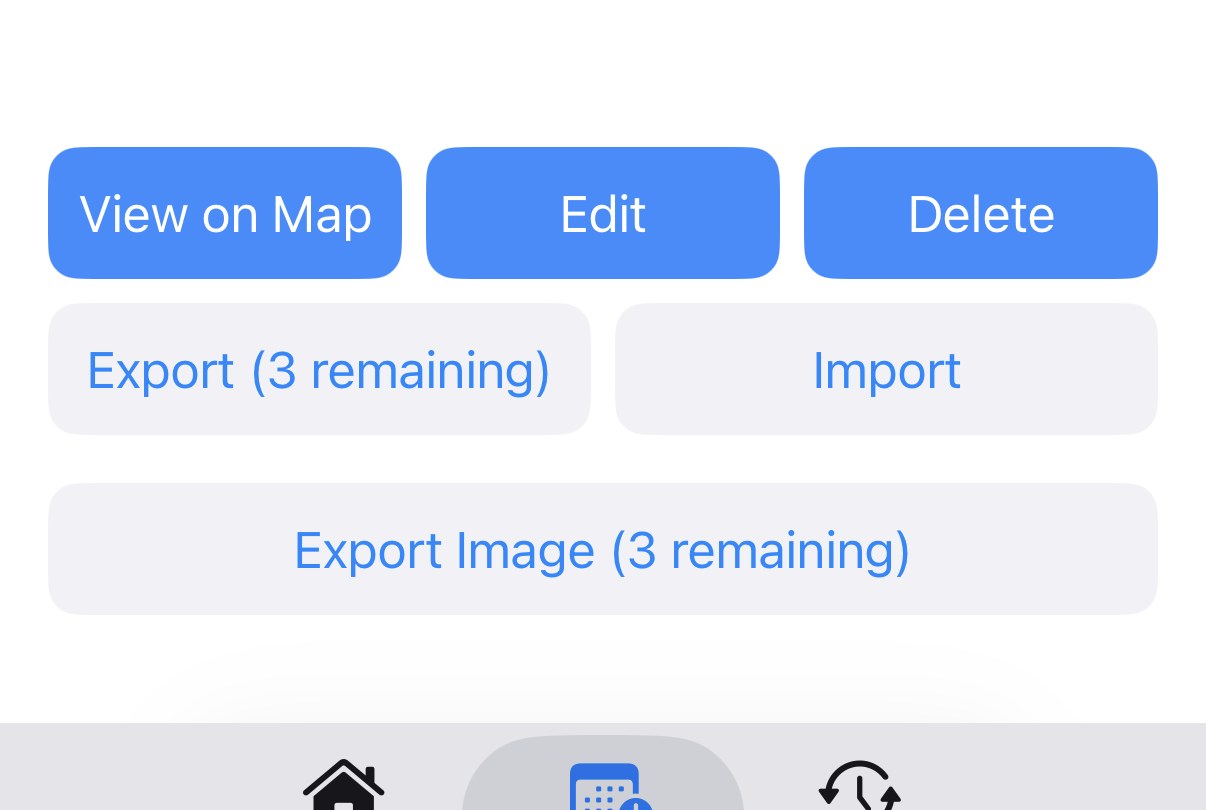
Export and image export buttons showing remaining free uses 12

Free, and genuinely usable

The buttons on the Schedule screen show your remaining free uses right on them. The real button display shows there's no risk of being charged without knowing it.

1 File exportFree for 3 uses after download. Each use updates the "◯ left" count shown on the button.
2 Image / route image exportAlso free for 3 uses after download. Try sharing to social media or a blog before deciding to purchase.
Standard Plan purchase sheet 12

One plan, four features unlocked at once

This is the real purchase sheet screen. A single ¥180/month Standard Plan removes the usage limits on all four features below.
1 ¥180 / monthSupports Family Sharing — up to 5 people can use it from a single purchase.
2 4 features unlockedFile export, image export, saving itineraries, and the AI Trip Planner — all become unlimited.
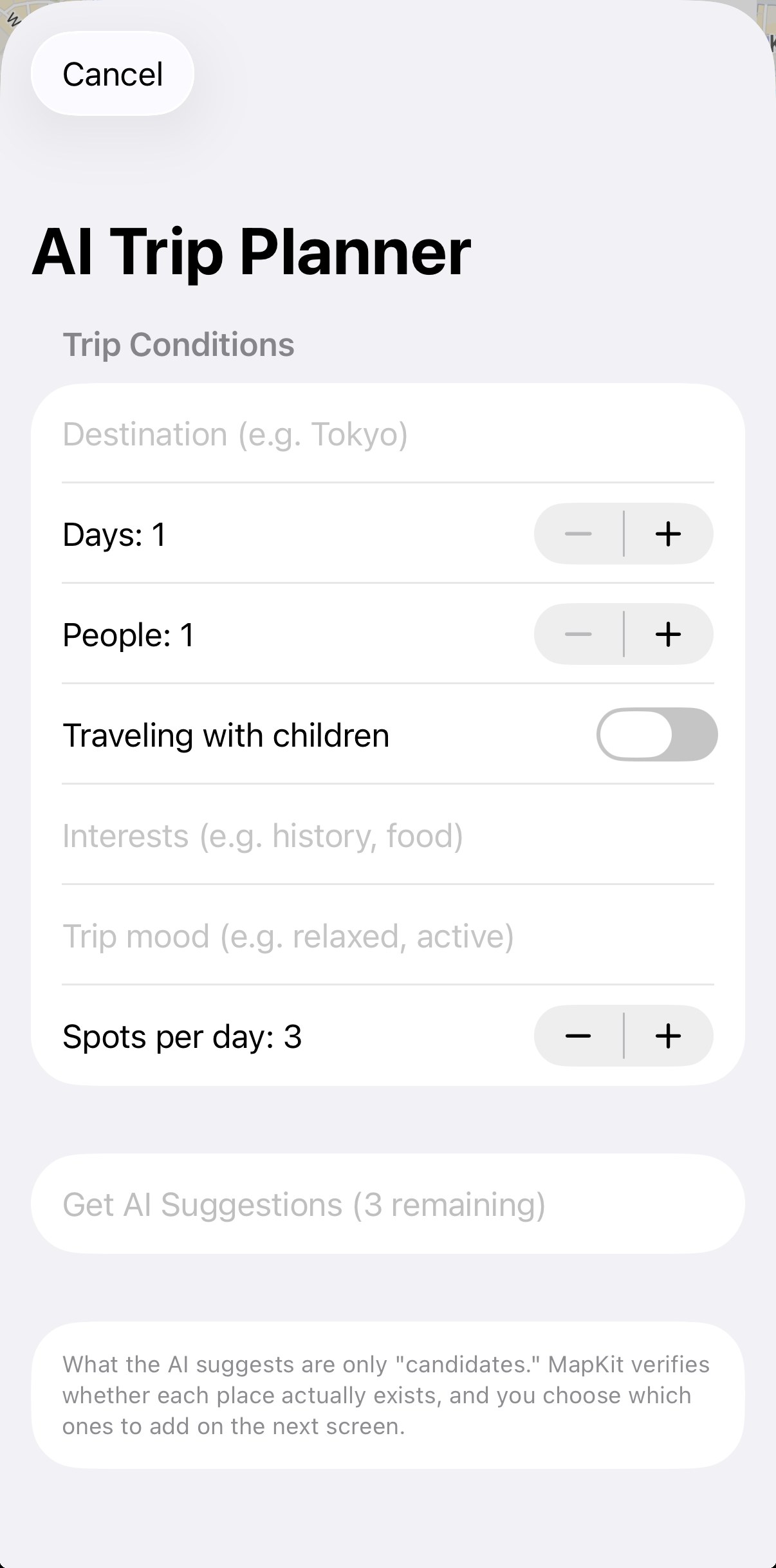
AI Trip Planner screen 1

Let AI plan your itinerary for you

Just tell it your destination, number of days, and interests, and the AI suggests itinerary candidates.

1 AI Trip PlannerFree to try up to 3 times a month. MapKit verifies each spot actually exists behind the scenes, so there's no risk of the AI making up a place.
3File export (after download)
3Image / route image export (after download)
3Saved itineraries
5 / monthSaving itineraries (new or edit)
3 / monthAI Trip Planner
Unlock everything with the Standard Plan → ¥180 / month (Family Sharing, up to 5 people)

Ready to start your journey?

Download Bunny Journey and plan your first trip in minutes.

Download on the App Store